Wearing the camera changes how you move.
Filming from your own point of view feels strange the first time. 5 minutes here will save you re-recording a task — most rejected clips fail for one of the reasons below, and every one of them is easy to avoid once you know it.
Watch first · 4 minutes
How to record a video that gets accepted
Head mount, 0.5× lens, landscape 1080p at 60 fps (30 if your phone can't), both hands in the picture, English narration in the present tense, and ending in the same place you started. Every video must be at least 5 minutes long.
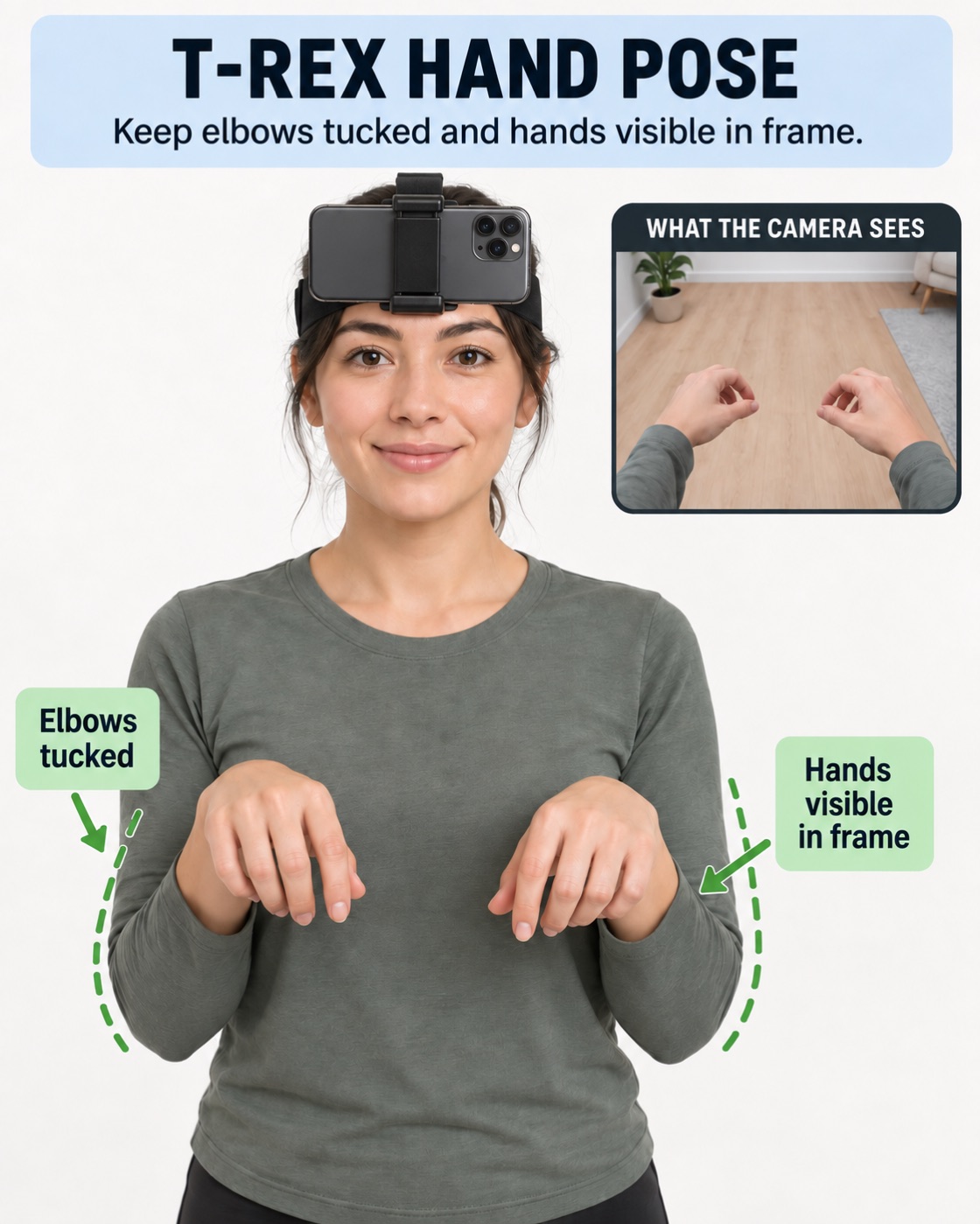
The rule that matters most
Keep both hands in the frame.
This is the single thing reviewers check first, and it is measured automatically. If your hands drop out of shot for a large part of the clip, it cannot be accepted — the footage does not show the robot what it needs to learn.
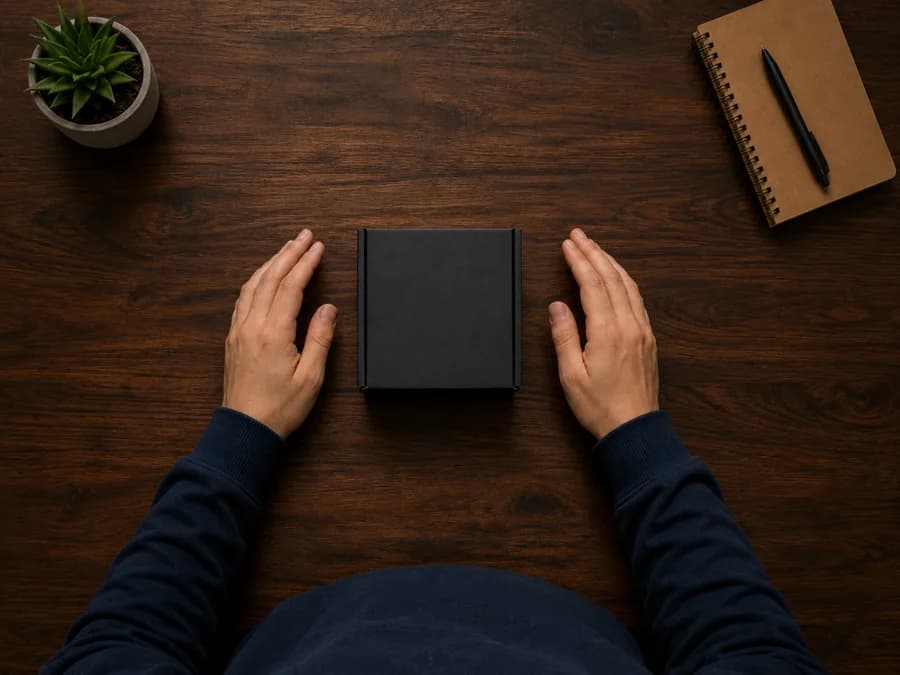
Do this
Both hands, work surface visible
Your hands sit in the middle of the frame with the thing you're working on. This is what you're aiming for.
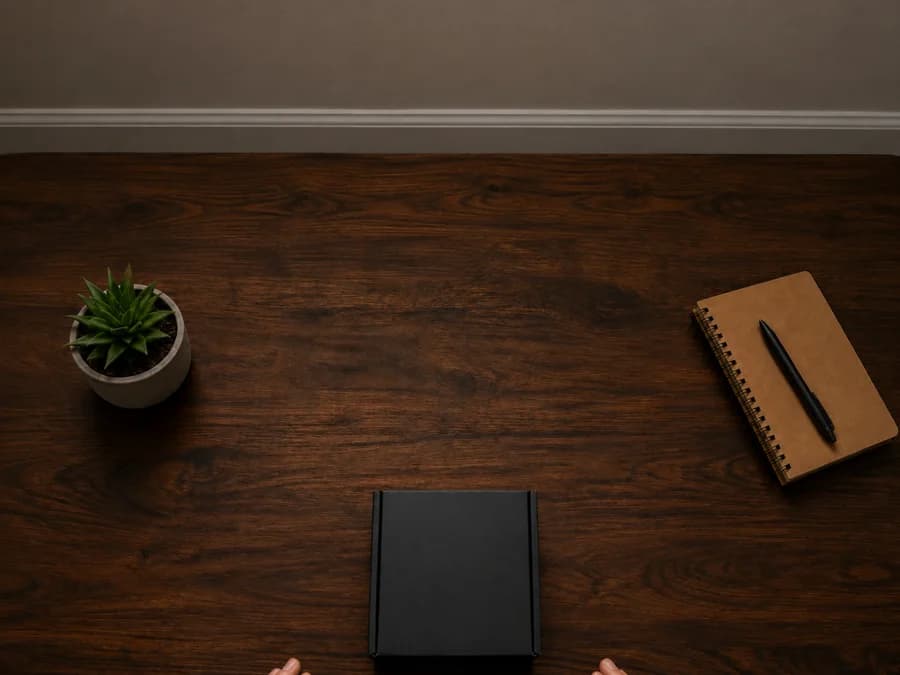
Not this
Hands below the frame
Usually means the phone is angled too far up. Tilt it down until you can see your hands while working.
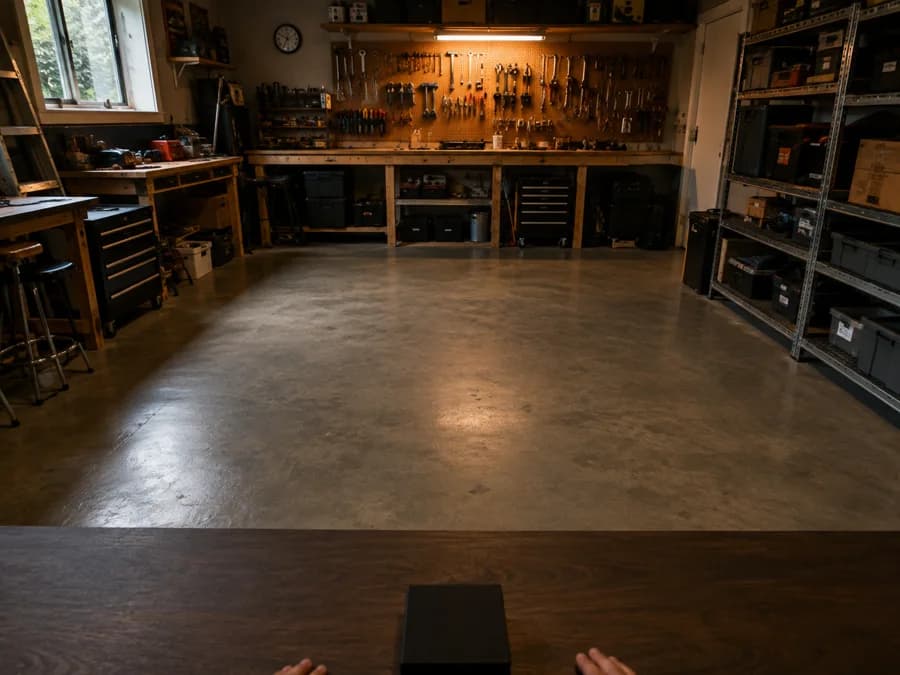
Not this
Looking at the room
Natural to do, wrong for this. Look at what your hands are doing, not around the room.
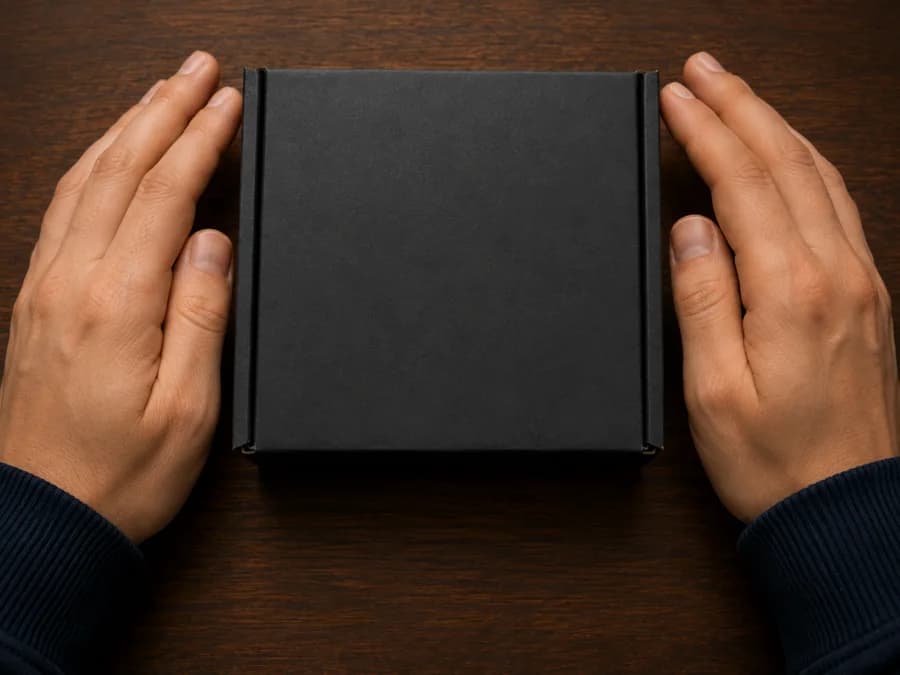
Not this
Too close to the surface
Leaning right over the work fills the frame with hands and loses the context around them.
Moving with a camera on
Slow is smooth. Smooth is usable.
A head-mounted camera exaggerates every movement. What feels like a normal glance looks like a whip-pan on playback, and fast motion blurs the exact frames a reviewer needs.
- 01
Turn your body, not just your head
Pivot from the waist when you need to look somewhere else. It keeps the picture steady and your hands in shot.
- 02
Move about half as fast as feels normal
Not slow motion — just unhurried. If you can read the labels on things as you pass them, the camera can too.
- 03
Let your eyes lead, then your head follows
Look first, then turn. Whipping your head around to find something is the most common source of unusable footage.
- 04
Pause a beat when you change task
Finishing one thing before starting the next gives reviewers a clean boundary and makes the clip easier to label.
Setting up
Mount it once, check it, then forget it.
Spend two minutes getting the angle right before you start. Adjusting mid-task is the other common reason a clip has to be re-recorded.
- 1
Strap it on, switch to 0.5×, tilt it down
The head strap sits just above your eyebrows. In the Camera app pick 0.5× — the wide lens — then tilt the phone down until the sink rim or counter edge is in the top third of the picture, with both hands in the middle. Eye level is too high.
- 2
Record ten seconds and watch it
Stand where you'll be working and do one normal movement. Check both hands are in frame with the work around them. Adjust the angle down if they aren't.
- 3
Check the light is behind the camera
A bright window in front of you turns everything into a silhouette. Face away from it, or turn a light on.
The mistake almost everyone makes
Do the task. Don’t demonstrate it.
People slow down, exaggerate, and hold things up to the camera. It is a kind instinct and it ruins the data. Robots need to learn from how the work is really done — the awkward grip, the second attempt, the shortcut you always take.
- ✕ Holding objects up to the camera✓ Use them the way you normally would
- ✕ Talking to the camera, or ignoring what the task says about talking✓ Follow the task page. Some tasks want silence. Narrated tasks make talking mandatory: in English, in the present tense ("I am washing the plate", never "I am going to" or "I washed"), the whole way through — live, or as a voice-over added afterwards
- ✕ Slowing down to be clear✓ Work at your own pace
- ✕ Restarting when you fumble✓ Keep going — mistakes are useful data
- ✕ Tidying up first so it looks good✓ Record the mess you'd actually work in
Light
Keep the window behind you, not in front.
A phone exposes for the brightest thing in shot. A head-mounted camera looks where your hands are, so a window beyond them is inside the frame: the phone exposes for the window and your hands fall to a silhouette — the one part that had to be readable. A window behind your head is out of shot and simply lights the work.
Do this
Light falling on your hands
Window or lamp behind you, lighting the work. Even light beats bright light.
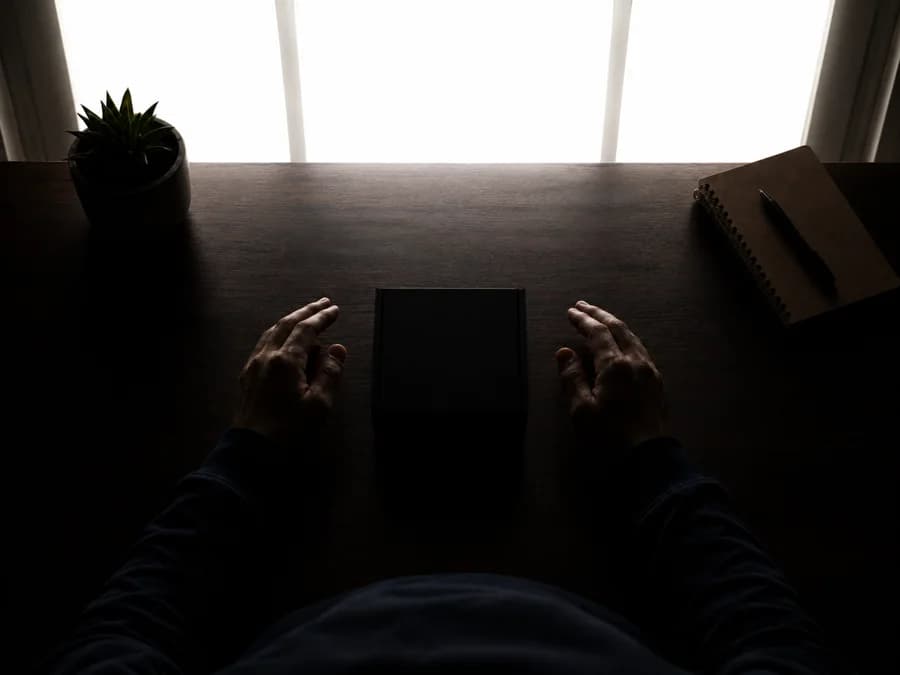
Not this
Window in front of you
The commonest lighting rejection. Turn around so the window is behind you.
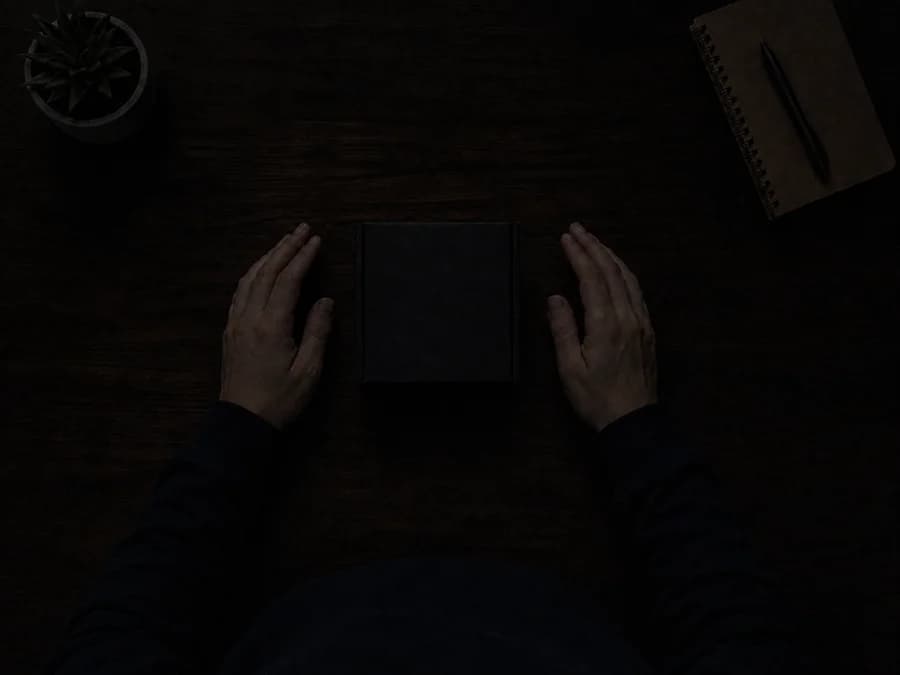
Not this
Too dim to read
If you can't make out the detail on playback, neither can a reviewer. Turn a light on.
One continuous take
Start before you begin. Stop after you finish.
Record the whole task in one go. What a robot has to learn is the order things happen in — reaching before grasping, the pause before the second attempt. Cut those moments out and what is left cannot teach the sequence, however clean each piece looks.
So don’t trim, speed up, filter, or stitch clips together. An edited upload is rejected even when every frame in it would have passed on its own.
Do this
One unbroken recording
Running before the task starts and still running after it ends.
Not this
Separate clips, gaps between them
Each piece may look fine. What happened between them is gone, and that was the data.
Privacy
If it could identify someone, keep it out of frame.
Your footage is reviewed by people and delivered to clients. Anything identifying in it stays in it. This protects you first, and everyone who happens to be nearby second.
Take 30 seconds to clear the surface before you start. It is far quicker than re-recording a task that cannot be accepted.
Other people, and children especially
Nobody but you, including passing through the background. Move to a room you have to yourself.
Your own face
Watch for mirrors, windows at night, dark screens, and anything else that reflects.
Screens and notifications
Phones, laptops, TVs. A message preview appearing mid-task is enough to fail the clip.
Documents, IDs, and mail
Letters, bills, prescriptions, bank cards, anything with a name or an address on it.
Anything that locates you
House numbers, street signs, delivery labels, school uniforms, distinctive shopfronts.
Before you upload
30 seconds that save an hour.
Play back the first and last ten seconds. Almost every avoidable rejection is visible in one of them.
- Your hands are in frame for most of the clip, and in the middle of it — not along the bottom edge
- You recorded at 0.5× (the wide lens), unless the task said otherwise
- Nobody else appears, not even passing through the background
- Your own face never appears — in a mirror, a window, or a screen
- No screens, documents, or letters with personal details are readable
- It's one continuous take with no cuts or pauses
- The task is finished, not cut short
Watch one that passed.
Seeing a single accepted clip end to end teaches more than any checklist. It sets the standard without anyone having to describe it.